










O seu guia para a soberania!
SimpleX: how to use the world's most private messaging app
Share your love

O SimpleX Chat is one of the most radical messaging apps when it comes to privacy. Unlike WhatsApp, Signal or Telegram, it does not use phone numbers, e-mail addresses, fixed usernames or global identifiers.
In practice, this means that SimpleX is designed to not knowing who you are, who you talk to or when you talk.
In this guide, I explain what makes SimpleX different, how it works and how to use the app step by step, from installation to the main features.
Table of contents:
Sovereign
Pay
Your pocket Swiss bank.
Copper via PIX anonymous and receive it at Bitcoin, dollar or balance in international card.
Knowing
Only 9 vacancies
- What is SimpleX Chat
- The war of the messaging apps
- Summary of how SimpleX works (start of step-by-step here)
- Comparison table between messengers
- SimpleX is for everyone, is it worth it?
What is SimpleX Chat
SimpleX is an end-to-end encrypted messaging application whose distinguishing feature is its architecture without persistent identifiers.
While other apps use some kind of central ID (most commonly a phone number), SimpleX works with temporary addresses per conversation. Each contact generates a unique channel, which does not reveal identity or allow correlation between conversations.
According to the developers themselves, the aim is simple: “Delete metadata, not just encrypt messages.”
The war of the messaging apps
Recently, a lawsuit against WhatsApp raised the debate about how much messaging apps really respect users' privacy.
The attacks came from all sides. Elon Musk, owner of X Chat, criticized WhatsApp and also questioned Signal, but your tweet received a Community Note explaining that “X Chat offers end-to-end encryption, but has no directional secrecy: compromising the key exposes all previous messages. Private keys are controlled by X, protected only by a 4-digit PIN. Metadata is collected. Signal offers directional confidentiality, device-only keys and minimal metadata.”
Telegram owner Pavel Durov also criticized WhatsApp's security, but Bitchat developer Callebtc criticized both Telegram and Musk's X Chat, saying“Both offer insecure messaging apps, with no encryption by default, and use weak encryption that hasn't been audited. WhatsApp may be terrible, but at least it uses state-of-the-art encryption, something that X and Telegram can only dream of.”
In the midst of so much criticism and controversy, users end up wondering which app to trust. The first point is that if you're only concerned about your messages not being read, end-to-end encryption is enough. Signal is an excellent option, especially as it's easy to use.
For those who want to go further, they have to worry more deeply about identity and metadata. SimpleX, in addition to being open source like Signal, doesn't require a phone number that connects your ID in the app to you.
In addition, SimpleX was designed to have no perceptible metadata in the architecture. The servers only function as blind relays. The idea is that no one knows who talked to whom, when they talked or how often. A truly private application.
Summary of how SimpleX works
SimpleX uses servers only as blind relays messages.
- Each conversation creates temporary one-way queues
- The servers they don't know who the sender or recipient is
- The messages are encrypted before leaving the device
- There is no fixed ID that allows tracking over time
That makes it difficult:
- mass surveillance
- contact correlation
- mapping social networks
How to install SimpleX Chat
Step 1: download the application
SimpleX is available for:
- Android (Google Play or F-Droid)
- iOS (App Store)
- Desktop (Windows, macOS and Linux)
Download only via the official website.
Step 2: open the app for the first time
When you open SimpleX:
- No personal data is required
- The app automatically creates a local identity only on your device
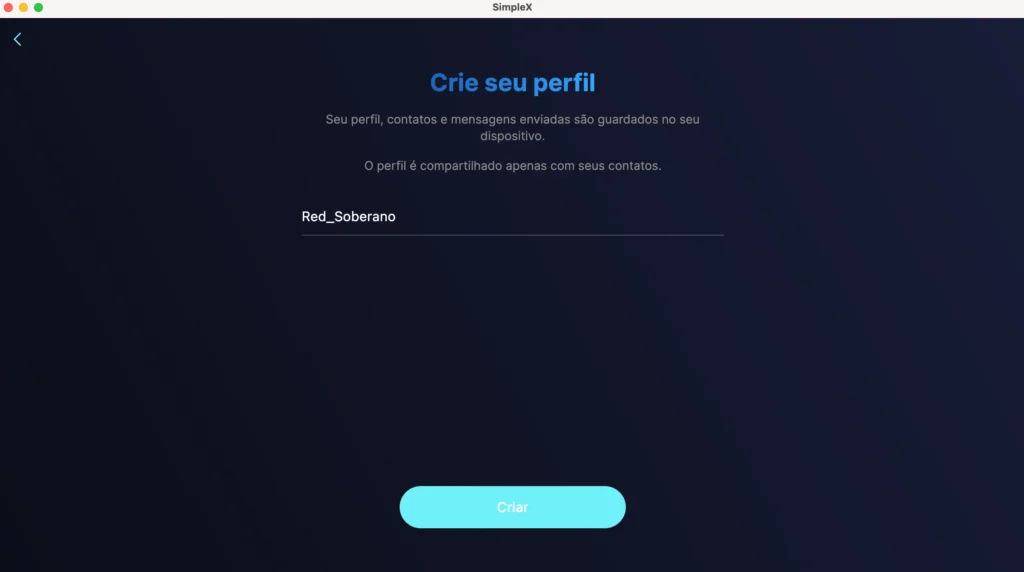
Your profile is only shared with your contacts, SimpleX servers do not see your profile.
How to add a contact in SimpleX
Here's where the app differs most. Your account is not linked to your phone number, we're not talking about your traditional contact list. To connect with someone, you need a link or QR Code.
Step 3: create a contact invitation
- Tap “Add contact”
- Choose to generate:
- a link
- or a QR Code
- Send this invitation by any external means (email, another app, social network or in person)
That invitation:
- é unique
- can be temporary
- does not reveal any information about you
Your main connection with this link is where and to whom it was shared.
Step 4: accept an invitation
To add someone:
- Tap “Accept invitation”
- Paste the link or scan the QR Code
- Wait for secure channel confirmation
From there, the conversation is established with end-to-end encryption.
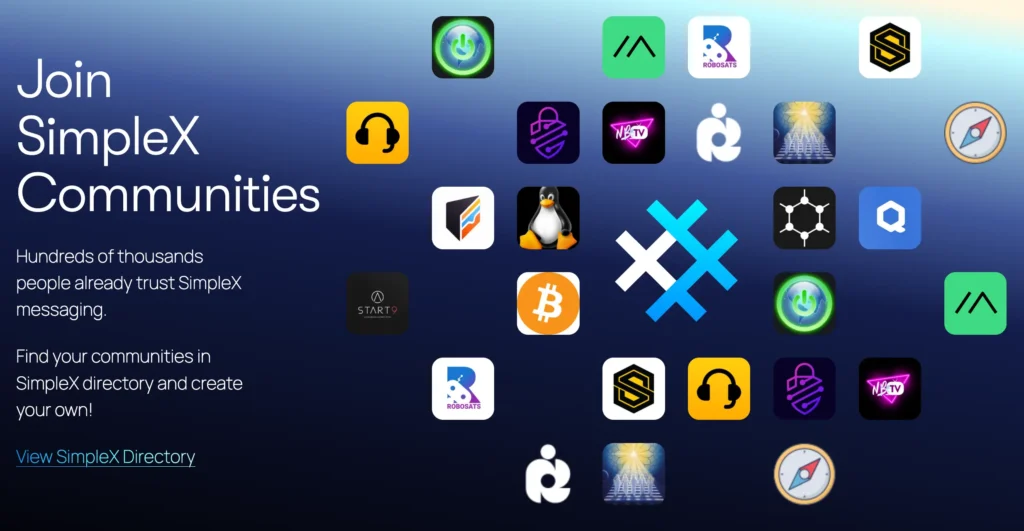
Tip: scroll to the bottom of the page on SimpleX.chat to find QR Codes linking to public discussion groups about Bitcoin, Cake Wallet, Linux, Graphene OS, Qubes OS, etc. Pay attention to the rules of each group.
How to send messages on SimpleX
Day-to-day use is simple and familiar:
- Text messages
- Audio
- Images
- Archives
But with one important difference: each conversation uses independent channels, This drastically reduces metadata leakage.
Extra privacy features
Not unlike other applications, SimpleX offers options that go beyond the basics:
Temporary messages
- Define messages that self-destruct
- Control the length of messages
Use with Tor
- You can configure the app to work via Tor
- This protects your IP address
Zero cloud history
- No messages are stored on third-party servers
- Backups are local and optional
Hidden accounts
- You can hide accounts, which are only revealed in the search area when you enter a password.
Comparison table between messengers
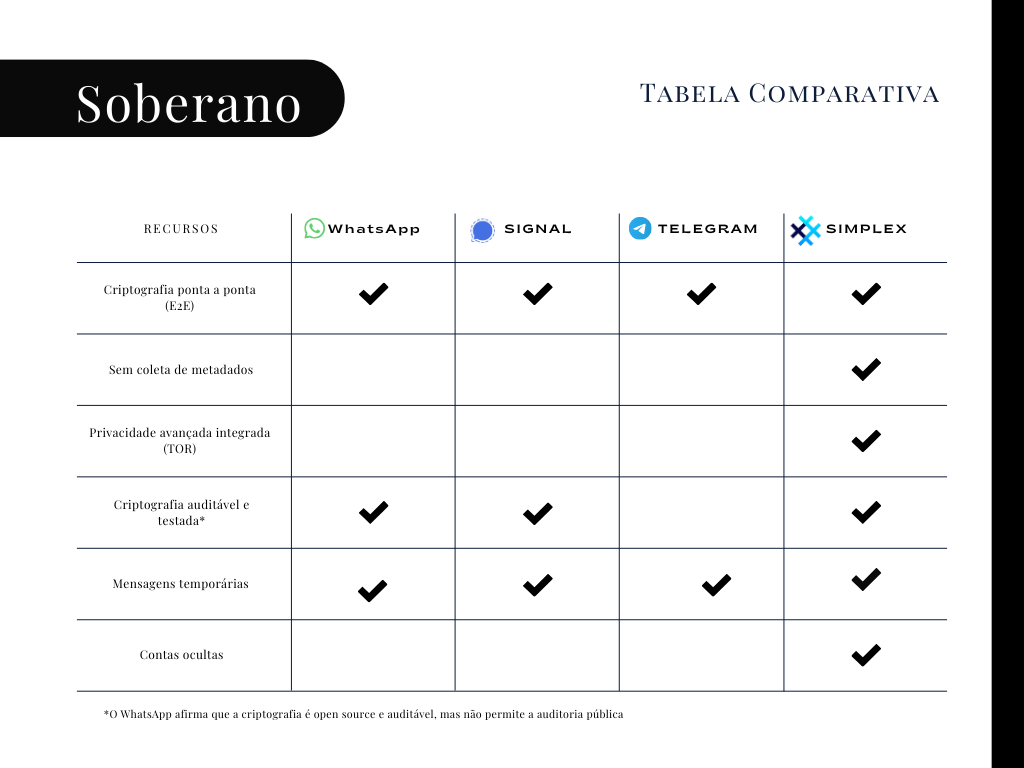
SimpleX is for everyone, is it worth it?
The application can be slower and have less pleasant interface than competitors, so you need to assess for yourself whether it's worth it.
To journalists, activists and others concerned about digital surveillance, the app focused on privacy it can make a lot of sense.
If you really value convenience and synchronization across multiple devices, apps like WhatsApp, Telegram and Signal can work more conveniently.






 English