Breaking News



Popular News


Your Guide to Sovereignty
Blue Wallet is one of the most popular Bitcoin wallets for those looking for simplicity and control. In this step-by-step guide, you will learn how to use Blue Wallet from installation to sending and receiving bitcoin.
Available for iOS and Android, Blue Wallet is a wallet non-custodial of Bitcoin. That means:
It supports
It's worth noting that, until April 2023, Blue Wallet's Lightning wallet was custodial; after the closure of this service, it only allowed connection to its own or a third-party node, which requires a little more technical knowledge on the part of the user.
In this article, we will only focus on the simple Bitcoin wallet.
To avoid scams, download Blue Wallet only through official channels:
And check:

Avoid ad links, unknown sites or external APKs.
When you open Blue Wallet for the first time, you'll notice that there's no need to create an account with a login or password. Everything happens locally on your cell phone.
If you need to change the language to Portuguese, go to “Settings” by clicking on “...” in the top right-hand corner, “Language” and select “Portuguese (BR)”.
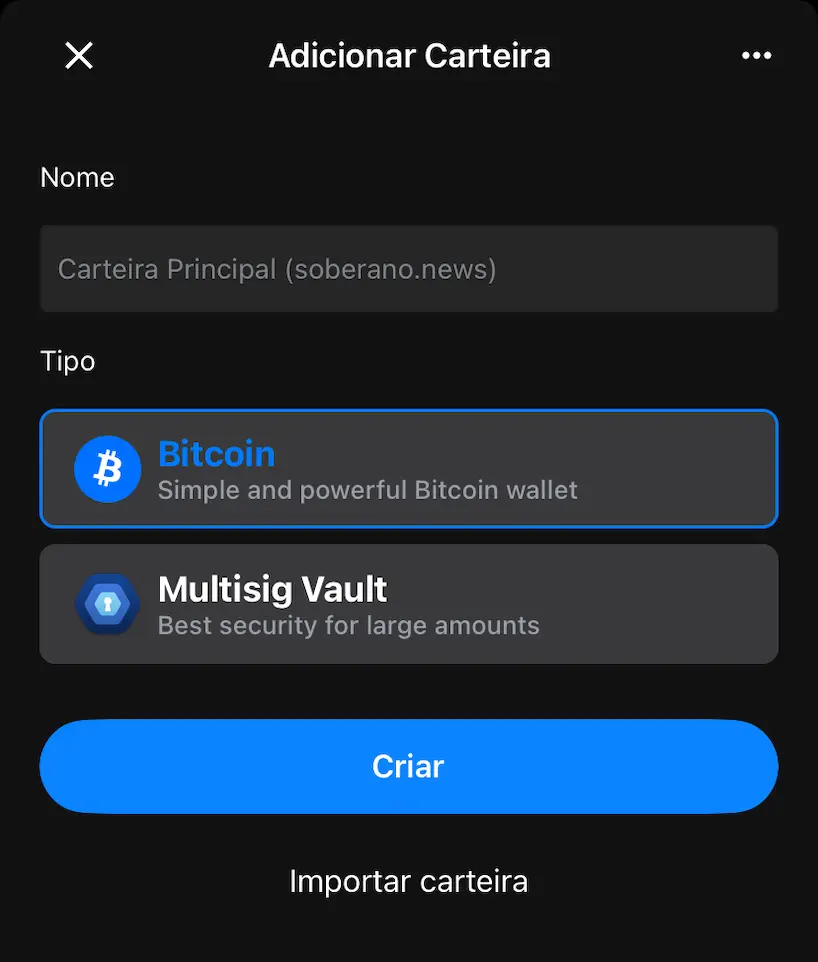
At this point, you can either create a new wallet or import an existing one. In this case, we're going to create one from scratch.
After creating the wallet, Blue Wallet will display your seed phrase (12 or 24 words).
Those words:
If you try to take a screenshot, you'll notice that the image comes out completely white. This is not an error, but a security feature of the wallet.
You shouldn't take a photo of the seed, nor should you save it in the cloud. The safest thing is to keep this backup in a physical, secure and offline location, ensuring that you can recover the wallet if your phone is lost or stolen.
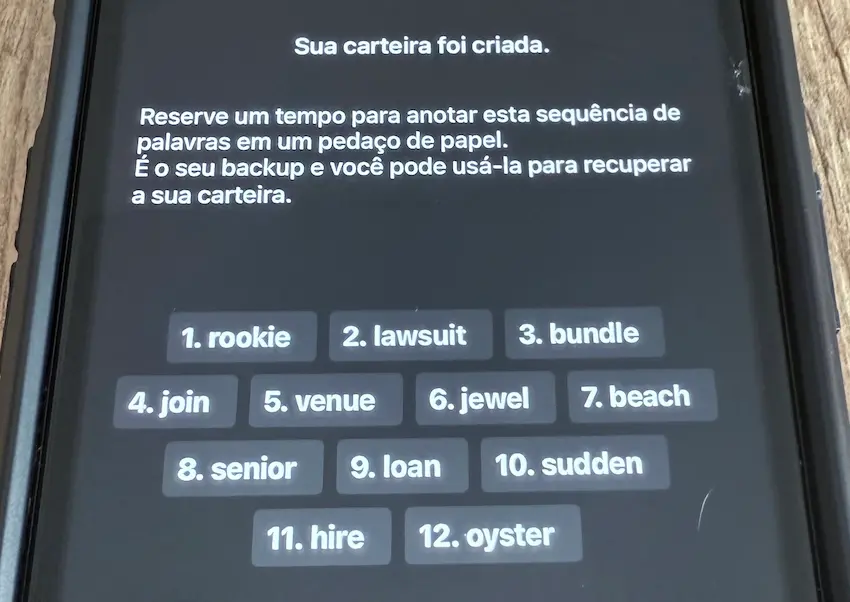
Remember: the backup serves to recover your wallet in another location, so if someone malicious has access to your seed, they will steal your bitcoins.
When you have accumulated a significant amount, you could consider engraving your seed on a metal plate, This makes the backup resistant to water and fire, among other things.
On the wallet's main screen you will see:
To change the denomination of your balance, simply click on “BTC” and you'll see your balance in sats (short for “satoshis”). Think of sats like cents, but for every BTC there are 100 million sats. In other words, you can see 0.001 BTC as 100,000 sats.
By clicking in the same place, but this time on “sats”, will change the setting to BRL (Brazilian reals). If you want to see your balance in dollars or other fiat, You can change this in Settings.
Your receipts will also be denominated in the way you choose (BTC, sats, real or dollar). You can also make a note of each transaction.
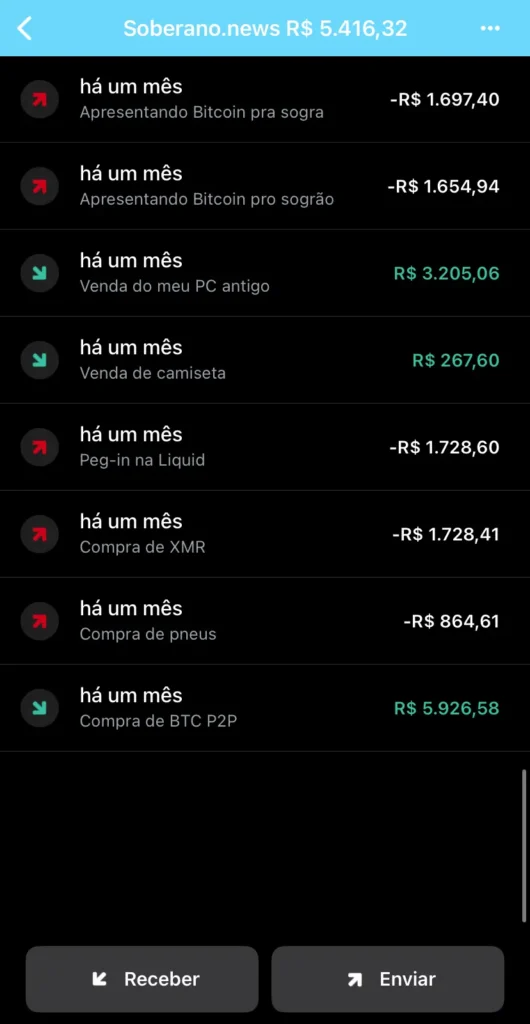
These notes are completely private and only serve to personal organization. When you recover your wallet on another device, you will notice that the transaction history will be visible, but the notes will be lost.
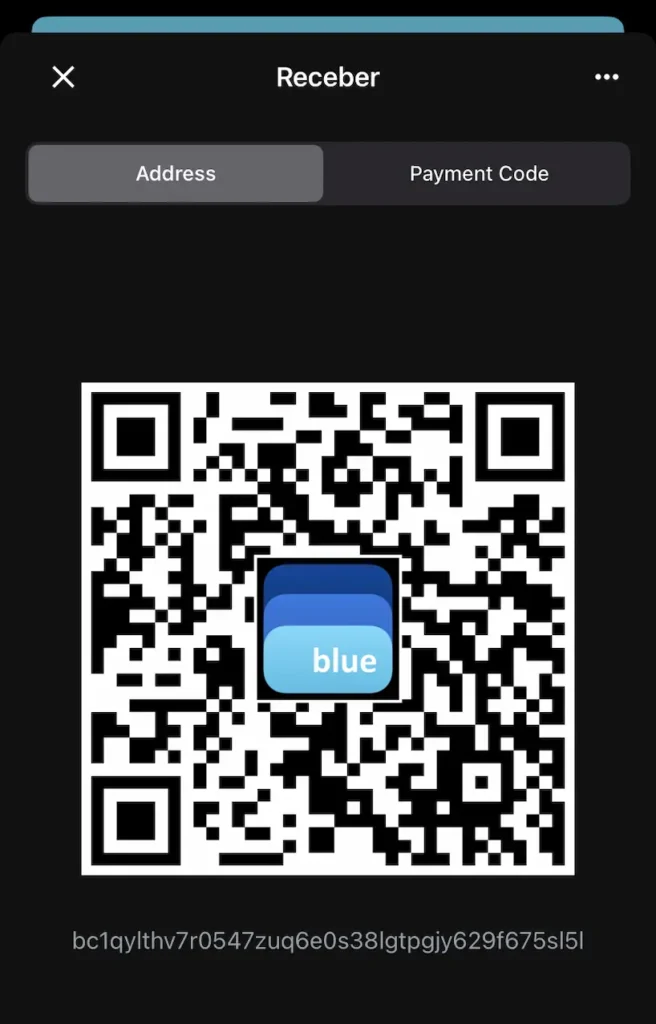
This address can be shared with whoever is going to pay you. You can copy the address by clicking on the code starting with “bc1...” or copy the QR Code image by holding it down for 2 seconds.
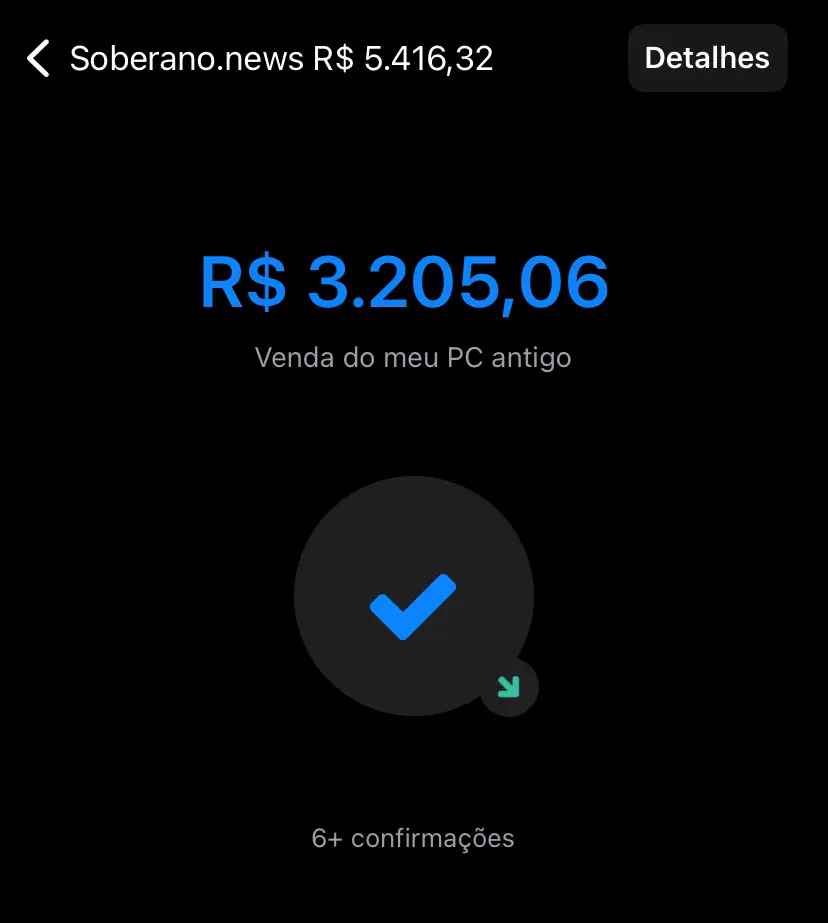
To set the amount in sats or reals, use the arrows to the right of the amount. If you want to send your balance in full, you can click on your balance and confirm.
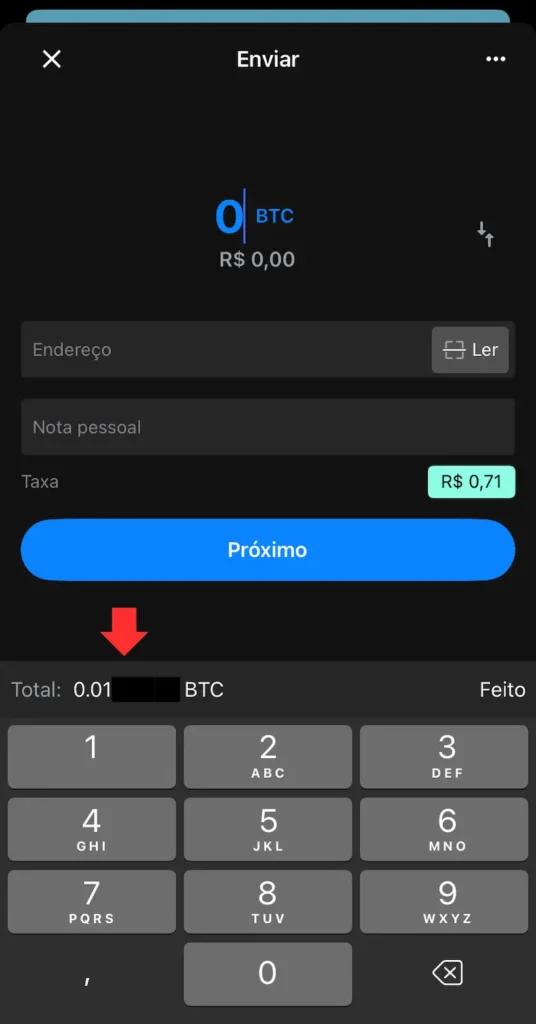
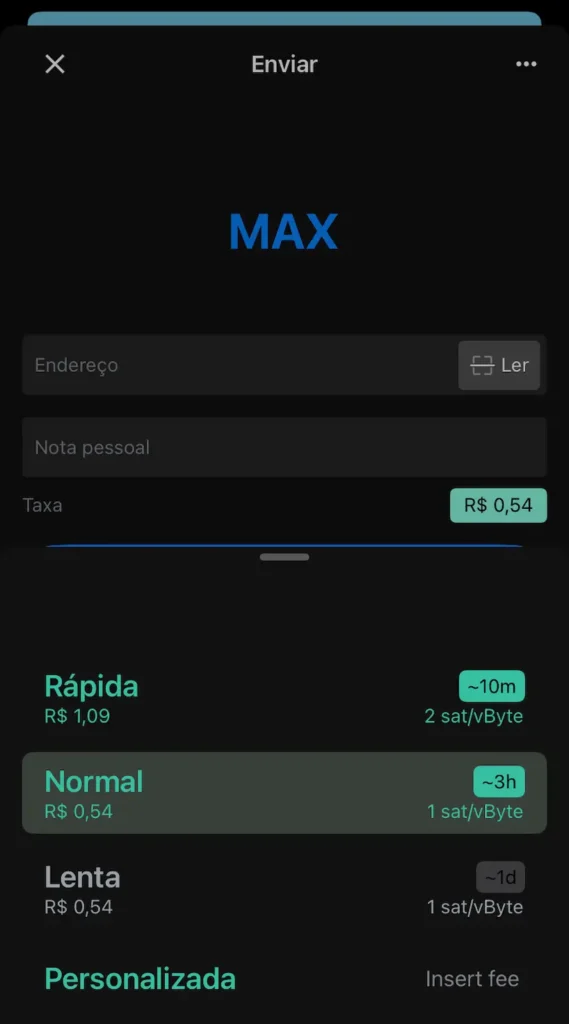
To adjust the shipping rate, click on the rate value and choose the “Fast”, “Normal” or “Slow”, based on how long you are willing to wait for the transaction to be confirmed.
Network fees are not paid to Blue Wallet, but to the Bitcoin miner who confirms your transaction. The more you are willing to pay, the faster your transaction should be included in the next network block.
Tip: you can see a block explorer with the Mempool.space to help you choose the rate, based on the congestion of the Bitcoin network.
In the settings menu, you can:
These and other options can increase your security and privacy when using your wallet.
Blue Wallet is a simple and efficient gateway for anyone who wants to use bitcoin in a sovereign and conscious way. By following this step-by-step guide, you can reduce risks, avoid common mistakes and take an important step towards controlling your own money.
 Português do Brasil Português do Brasil
  English
 Español